Post last modified on 1 day, 14 hours ago.
This is one of the things that I did.
Palettes
Past Update:
26 July 2026
Pastel Light released.
24 July 2026
Release.
Welcome to the page for my colour palettes. You can find all the colour palettes that I made here.
All palettes comes with my own tag calling in :root.
Default Bear Blue Palette - Turbie Edition
Click this to view it's CSS:
CSS Code:
/* Colour palette made by turbiegaming.bearblog.dev/ */
/* Last updated: 22 July 2026 */

:root {
    --max-width: 875px;
    --line-height: 1.5;
    --font-main: Verdana, sans-serif;
    --font-secondary: Verdana, sans-serif;
    --font-scale: 19px;
    --background-color: #01242e;
    --background-secondary-color: #145266;
    --heading-color: #FFFFFF;
    --text-color: #D6D6D6;
    --text-secondary-color: #11D41E;
    --time-text-color: #57B848;
    --link-color: #37AFF0;
    --visited-color:  #AD00FF;
    --border-color: #0040FF;
    --border-secondary-color: #32A1AB;
    --hover-color: #052E3B;
    --hover-secondary-color: #006EA6;
    --nav-color: #06171C;
    --code-background-color: #000;
    --code-color: #BABABA;
    --blockquote-color: #ccc;
    --smol-radius: 5px;
    --mid-radius: 12px;
    --big-radius: 24px;
}
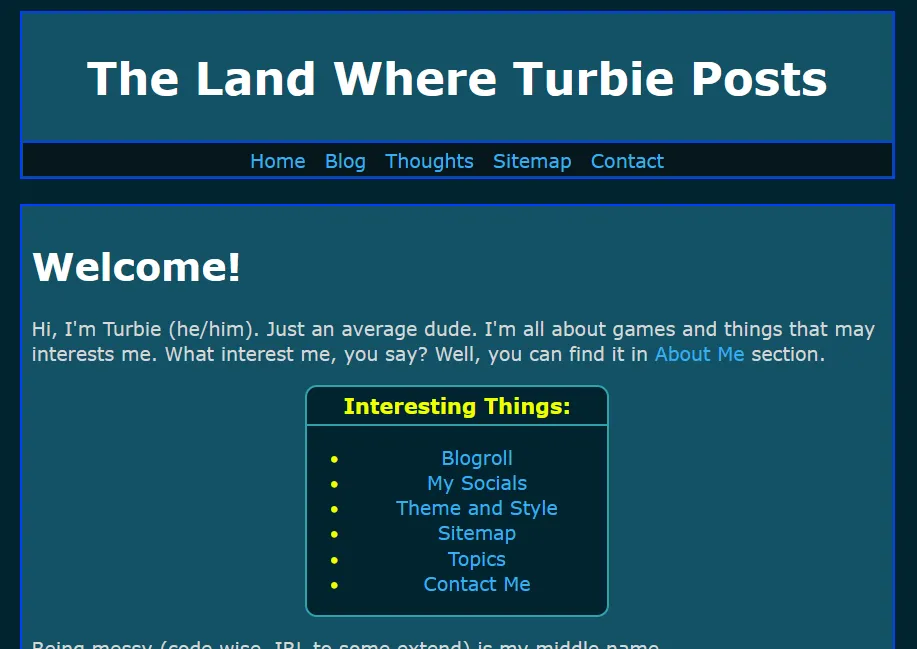
Bear Blue theme - Turbie Edition
This is the default Bear theme with my own twist. This palette comes with Turbilism Full Layout and Turbilism Basic Layout by default.
For experienced CSS users
You can also use this for your own custom layout style. If there is any oddity while using my palette, make sure to rename your custom colour tag to the one referenced in my :root.
Dark Theme
Click this to view it's CSS:
CSS Code:
/* Colour palette made by turbiegaming.bearblog.dev/ */
/* Last updated: 24 July 2026 */

:root {
    --max-width: 875px;
    --line-height: 1.5;
    --font-main: Consolas, sans-serif;
    --font-secondary: Verdana, sans-serif;
    --font-scale: 19px;
    --background-color: #000000;
    --background-secondary-color: #424242;
    --heading-color: #BF7E13;
    --text-color: #ddd;
    --text-secondary-color: #339C28;
    --time-text-color: #FF0000;
    --link-color: #69CFFF;
    --visited-color:  #7258CC;
    --border-color: #FFFFFF;
    --border-secondary-color: #BF7E13;
    --hover-color: #292828;
    --hover-secondary-color: #1414E3;
    --nav-color: #121245;
    --code-background-color: #000;
    --code-color: #05FCE3;
    --blockquote-color: #BABABA;
    --smol-radius: 5px;
    --mid-radius: 12px;
    --big-radius: 24px;
}
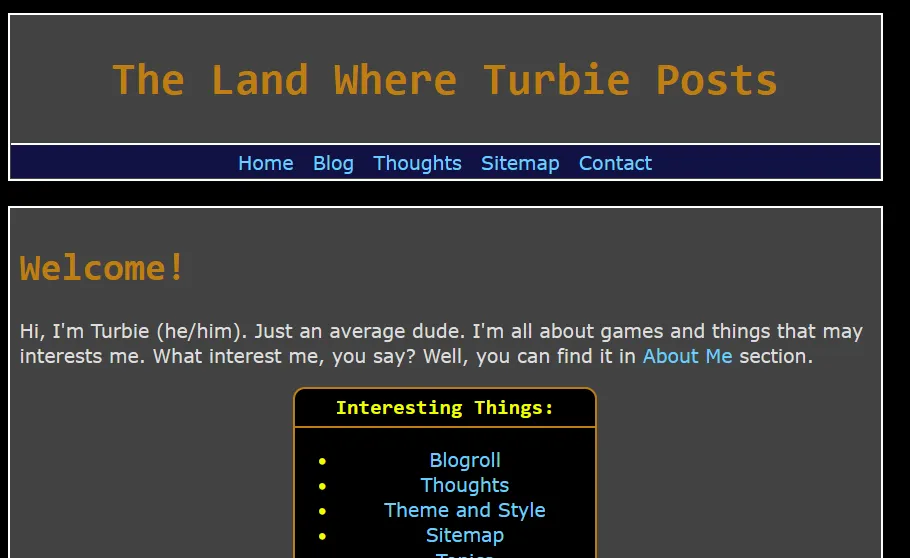
Dark Theme
This is my version of Dark Theme.
If you like darker tone for your blog, this might be the one for you.
This works best with my Turbilism Full Layout and Turbilism Basic Layout.
For experienced CSS users
You can also use this for your own custom layout style. If there is any oddity while using my palette, make sure to rename your custom colour tag to the one referenced in my :root.
Inverted Dark Theme
Click this to view it's CSS:
CSS Code:
/* Colour palette made by turbiegaming.bearblog.dev/ */
/* Last updated: 24 July 2026 */

:root {
    --max-width: 875px;
    --line-height: 1.5;
    --font-main: Verdana, sans-serif;
    --font-secondary: Verdana, sans-serif;
    --font-scale: 19px;
    --background-color: #424242;
    --background-secondary-color: #000000;
    --heading-color: #00FF6A;
    --text-color: #ddd;
    --text-secondary-color: #9E9B9B;
    --time-text-color: #EB2805;
    --link-color: #00DCFF;
    --visited-color:  #7258CC;
    --border-color: #FFFFFF;
    --border-secondary-color: #787878;
    --hover-color: #6D7375;
    --hover-secondary-color: #0073FF;
    --nav-color: #07098F;
    --code-background-color: #6E6B6B;
    --code-color: #05FCE3;
    --blockquote-color: #BABABA;
    --smol-radius: 5px;
    --mid-radius: 12px;
    --big-radius: 24px;
}
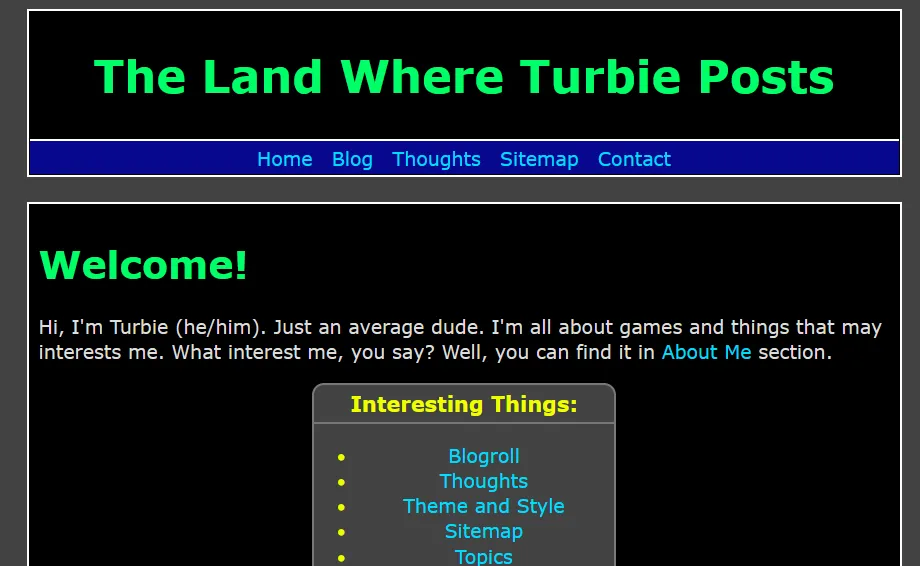
Inverted Dark theme.
This is the inverted version of Dark Theme.
This works best with my Turbilism Full Layout and Turbilism Basic Layout.
For experienced CSS users
You can also use this for your own custom layout style. If there is any oddity while using my palette, make sure to rename your custom colour tag to the one referenced in my :root.
Pastel Light - New
Click this to view it's CSS:
CSS Code:
:root {
    --max-width: 875px;
    --line-height: 1.5;
    --font-main: Verdana, sans-serif;
    --font-secondary: Verdana, sans-serif;
    --font-scale: 19px;
    --background-color: #e2e6fb;
    --background-secondary-color: #deddfa;
    --heading-color: #14693B;
    --text-color: #342d69;
    --text-secondary-color: #9C4BC4;
    --time-text-color: #B06527;
    --link-color: #00B3FF;
    --visited-color:  #0088FF;
    --border-color: #b0d4ff;
    --border-secondary-color: #787878;
    --hover-color: #9C4BC4;
    --hover-secondary-color: #0073FF;
    --nav-color: #342d69;
    --code-background-color: #000;
    --code-color: #05FCE3;
    --blockquote-color: #BABABA;
    --smol-radius: 5px;
    --mid-radius: 12px;
    --big-radius: 24px;
}
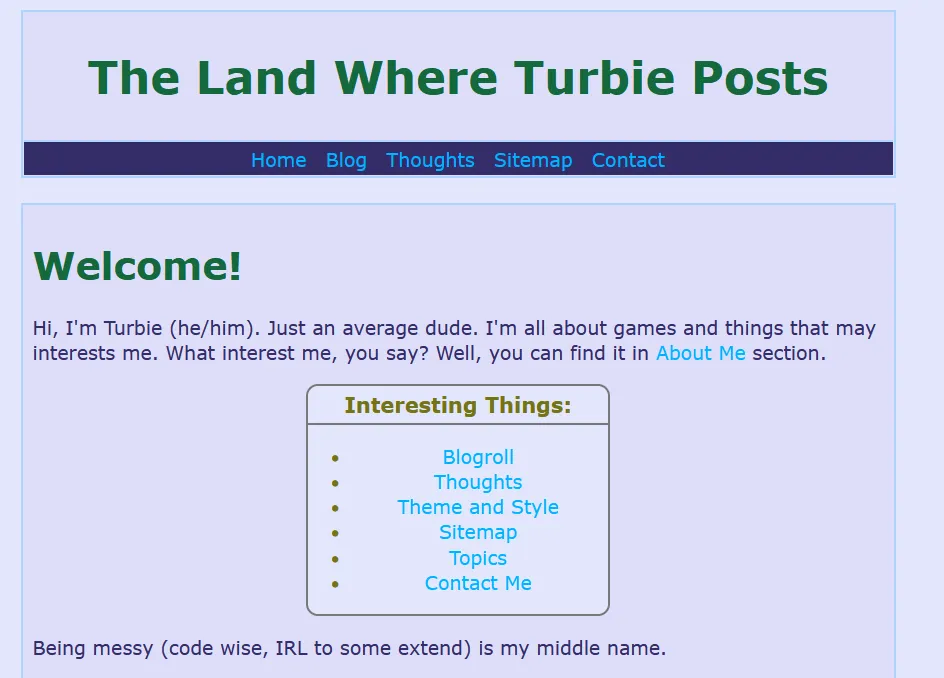
Pastel Light in action.
This is my version of Pastel light.
This works best with my Turbilism Full Layout and Turbilism Basic Layout.
For experienced CSS users
You can also use this for your own custom layout style. If there is any oddity while using my palette, make sure to rename your custom colour tag to the one referenced in my :root.
I hope you enjoy my colour palettes.